The time tables for the BTech/BPharm FIRST SEMESTER examinations and B.TECH CCC of JNTU ANANTAPUR which have been scheduled to start from 28-12-2009 has released by JNTU-A.
To get the time tabels click on the following links.
B.Tech 1st sem Exams time tables which starts from 28th DEC 2009
B.Pharm I semester Exams time tables
BTech CCC I yr Reg Exams Rescheduled TT
Sunday, December 20, 2009

Saturday, December 19, 2009
JNTU-ANANTAPUR EXAMS AGAIN POSTPONED(19-12-2009)
ALL THE BTech/BPharm FIRST SEMESTER EXAMINATIONS AND B.TECH CCC of JNTU ANANTAPUR SCHEDULED TO START FROM 21-12-2009 HAVE BEEN POST PONED TO 28-12-2009.NEW TIME TABLES WILL BE NOTIFIED SHORTLY.
B.TECH,B.PHARM SECOND SEMESTER AND FIRST YEAR SUPPLY EXAMINATIONS SCHEDULED TO START FROM 28-12-2009 HAVE BEEN POSTPONED.THE NEW DATES FOR THE SUPPLY EXAMINATIONS WILL BE ANNOUNCED LATER.
– Director of Evaluation i/c,
B.TECH,B.PHARM SECOND SEMESTER AND FIRST YEAR SUPPLY EXAMINATIONS SCHEDULED TO START FROM 28-12-2009 HAVE BEEN POSTPONED.THE NEW DATES FOR THE SUPPLY EXAMINATIONS WILL BE ANNOUNCED LATER.
– Director of Evaluation i/c,
Thursday, December 17, 2009
BTech (all yrs & reg) II sem supple Dec Jan 10 Exams Rescheduled time tables
(Created on 17th Dec,2009)
Hai friends , for the fresh time tables for postponed supplementary exams click on any one of the two following links.
1.Supple exam time tables(link-1)
2.Supple exam time tables(link-2)
If you face any problems in viewing these time tables please comment below.
Hai friends , for the fresh time tables for postponed supplementary exams click on any one of the two following links.
1.Supple exam time tables(link-1)
2.Supple exam time tables(link-2)
If you face any problems in viewing these time tables please comment below.
Tuesday, December 15, 2009
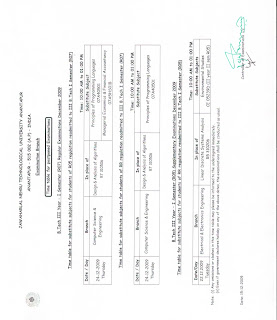
BTech Dec09 Exams TTs for the postponed Examination (15-12-2009)
The following time tables are in image format, and these are not visible in this webpage,so save all those images to your system and view in system.

+Dec09+Exams+substitute+subjects+TT+for+postponed+exams.jpg)
BTech II Year I sem R07 Dec09 Exams TT


BTech III year I Sem all regs Dec 09 TT

BTech III yr I sem all regs (RA) Dec09 Exams
substitute subjects TT for postponed exams
+Dec09+Exams+substitute+subjects+TT+for+postponed+exams.jpg)
For another regulation's timetabels and if you have any doubts please go to the website http://www.jntuanantapur.org/
Sunday, December 13, 2009
JNTU Regular and Supplemetary exams postponement details
(13-12-2009)All the BTech/BPharm , CCC examinations have been postponed. The examinations will restart from 21.12.2009. The BTech/BPharm even semester Supplementary and first year supplementary examinations scheduled to start from 17.12.2009 are rescheduled to start from 28.12.2009. Detailed rescheduled time tables will be displayed shortly. – Director of Evaluation i/c .
Click here to see the same on Jntu-Anantapur website
Click here to see the same on Jntu-Anantapur website
Saturday, December 12, 2009
LEADER MP3 SONGS

Hai friends you want the LEADER film mp3 songs,
then click on the following link to download all songs in a single click.
DOWNLOAD LEADER MP3 SONGS
Tuesday, December 1, 2009
Message updates to your mobiles
Hai friends
There are so many people who want to get mobile alerts like 'cricket alerts','jokes','jobs','today in the history' and so many with free of cost. But any GSM service provider not providing any alerts with free of cost .But I have a solution to this for you. For this you need to have only a Gmail account and a moblie .
Now I explain that " how to activate this service".
1.Open http://www.google.co.in and in that you see a sign in label at the top-right side.
2.Now sign in to your google account.
3.And now you see a label named as more at top-middle of the page. Click on more next click on
even more.
4.Now you see a new page,in this page you see a heading like Explore and Innovate ,under this you have
two sub-headings,in that you select LABS.
5.After clicking on the label LABS you go to another page, inthis you select Google SMS Channels.
6.Here you moved to another page, now you need to verify your mobile number,on which number you want
to get alerts.For this you need to move settings (that is appear on top-right corner).Here fill all the fields
as usual and finally click on the save changes .
7.While filling the fields you need to enter your mobile number, and immidiately you recieve a message with
a code. And you need to enter that code in the web page.
8.After clicking on the save changes you need to comeback to previous page.
9.Here you see two heading Browse channels and My channels.
10.In the browse channel you can select the topics on which you want to get alerts on your mobile.
There are so many people who want to get mobile alerts like 'cricket alerts','jokes','jobs','today in the history' and so many with free of cost. But any GSM service provider not providing any alerts with free of cost .But I have a solution to this for you. For this you need to have only a Gmail account and a moblie .
Now I explain that " how to activate this service".
1.Open http://www.google.co.in and in that you see a sign in label at the top-right side.
2.Now sign in to your google account.
3.And now you see a label named as more at top-middle of the page. Click on more next click on
even more.
4.Now you see a new page,in this page you see a heading like Explore and Innovate ,under this you have
two sub-headings,in that you select LABS.
5.After clicking on the label LABS you go to another page, inthis you select Google SMS Channels.
6.Here you moved to another page, now you need to verify your mobile number,on which number you want
to get alerts.For this you need to move settings (that is appear on top-right corner).Here fill all the fields
as usual and finally click on the save changes .
7.While filling the fields you need to enter your mobile number, and immidiately you recieve a message with
a code. And you need to enter that code in the web page.
8.After clicking on the save changes you need to comeback to previous page.
9.Here you see two heading Browse channels and My channels.
10.In the browse channel you can select the topics on which you want to get alerts on your mobile.
Subscribe to:
Comments (Atom)